
Well, it has been a while.
Apparently my last post on Wi-Fi Coops was in 2022. A lot has happened in Wi-Fi since then: 6 GHz has become normal, Wi-Fi 7 is here, AI has found its way into seemingly everything, and the tools we use to design, operate and troubleshoot wireless networks have evolved considerably.
So what better excuse to dust off the blog than a new Wi-Fi gadget?
The folks at Hamina recently sent me a Hamina Clip and asked if I would spend some time using it for surveying and troubleshooting, and share my experiences.
I already have access to a Hamina/Oscium Nomad, while in my day job I spend most of my time around HPE Mist – where there is already an enormous amount of telemetry, client visibility and troubleshooting capability through Mist AI and Marvis.
So my question wasn’t really: “Can I survey with this?”
Clearly I can. It was: “Where does this fit into the toolkit I already have?”
Disclosure: Hamina provided the Clip to me at no cost. Neither I nor HPE paid for the device, although HPE does pay for my Hamina subscription. I am an HPE employee, but this is my personal blog and the opinions expressed here are my own, not those of HPE. Hamina hasn’t paid me to write this or had any editorial input.
First impressions: this thing is small!
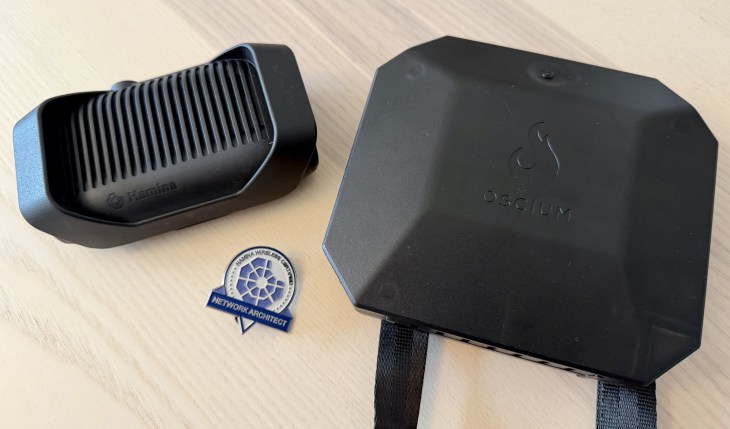
The first thing that strikes you about the Clip is its size.
Inside are two tri-band Wi-Fi radios, four antennas and Bluetooth, supporting scanning across 2.4, 5 and 6 GHz. It connects wirelessly to an iPhone or iPad using BLE, although USB-C is available too (for noisy environments and high-data analysis, more on that later). Designed in Finland, made in the EU. Built like tiny tank. Nice.
And, as the name rather helpfully suggests, you clip it to yourself.
No shoulder bag. No cable. No survey harness. Apparently we’ve finally found a practical use for the “agentic” buzzword: the Clip has decided to free me from my harness!
Turn it on, open Hamina Onsite and start walking.
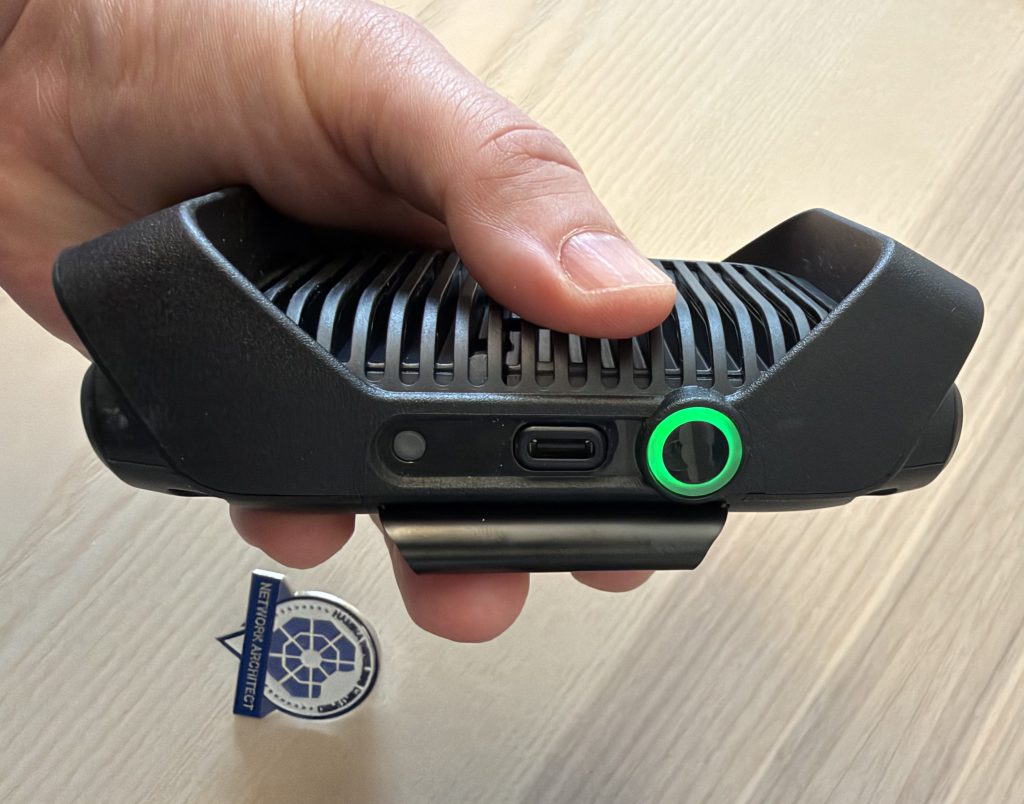
At 282 grams, it’s noticeably lighter than the Nomad. The Nomad is hardly enormous, but the Clip is small enough that the decision about whether to bring it with me almost disappears.
That becomes important when we get to troubleshooting.
Surveying with it
I don’t spend every day walking around buildings performing Wi-Fi surveys anymore. These days I spend considerably more time looking at telemetry, analytics and APIs. But physical validation still matters.
A predictive design is exactly that: predictive.
The building gets the final vote.
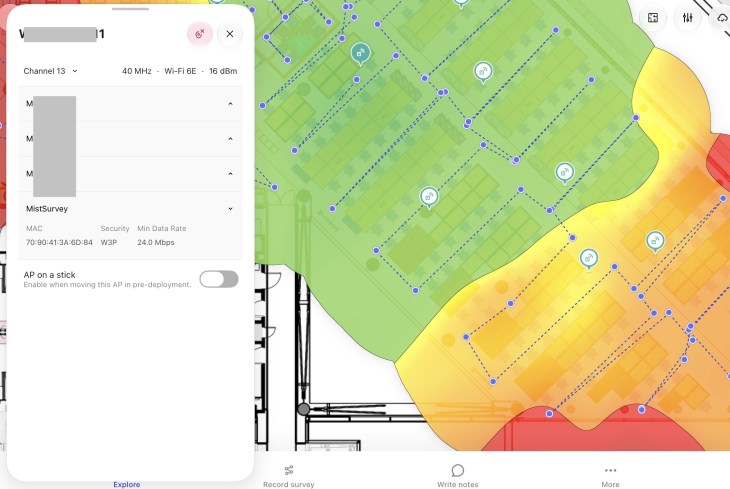
Clip paired with Hamina Onsite makes that validation straightforward. Select your floor plan, start the survey and walk. Onsite builds the expected coverage, SNR, interference and channel utilisation visualisations while Clip scans 2.4, 5 and 6 GHz.
The wireless connection sounds like a small thing, but I really like it. Nothing is plugged into the tablet and there are no cables dangling from me. It’s fast and frictionless.
Clip also isn’t limited to Hamina’s ecosystem, with support from tools including Wi-Fi Explorer Pro/Pi and Airtool/Airtool Pi (packet capture data transfer requires a USB-C cable, makes sense).
I’ve always liked vendors who recognise that Wi-Fi engineers build toolkits, not religions.
But I already have Mist…
This is where things get more interesting for me.
Mist already gives me extremely rich visibility into a wireless network: Service Level Expectations, individual users and clients, connection events, roaming behaviour, RF conditions and extensive historical telemetry.
Marvis helps correlate that information, while Marvis Minis can proactively simulate user connections and test network services and applications without requiring another physical sensor.
So why walk around with another piece of hardware? Because they answer different questions.
Mist gives me incredibly deep insight into a Mist network.
Clip gives me a small, independent measurement platform I can take virtually anywhere.
I don’t need access to the WLAN infrastructure. I don’t need administrative credentials. It doesn’t even need to be a Mist network. I can stand where a user is standing, pull out my phone and Clip and ask:
What does the network look like here, right now?
“The Wi-Fi is bad over here”
We’ve all heard it. Usually accompanied by someone pointing vaguely towards a corner of a building. This is probably where I find Clip most compelling.
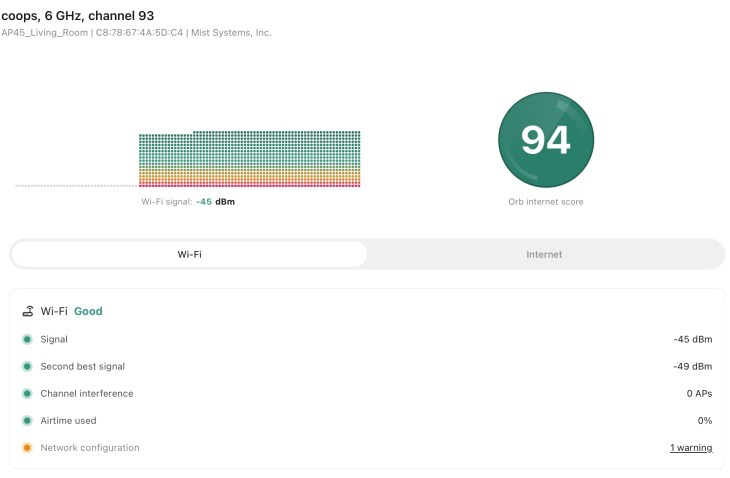
Hamina Onsite gives me an immediate view of the surrounding Wi-Fi environment — coverage, redundancy, interference, airtime utilisation and visible APs. But RF is only part of whether Wi-Fi is actually working.
The integration of Orb adds end-to-end testing, measuring things including responsiveness, reliability, latency, jitter and packet loss.
So I can stand where someone says “the Wi-Fi is bad” and answer two different questions:
What does the RF environment look like? What does the actual network experience look like?
Because sometimes the Wi-Fi is perfectly fine.
As wireless engineers, we’ve spent decades being blamed for DNS, DHCP, WAN links, applications, client drivers, VPN software and probably Mercury being in retrograde. Being able to quickly distinguish RF problems from broader connectivity problems is useful.
Another piece of evidence
Hamina Live adds another interesting dimension by integrating with cloud-managed WLAN platforms, including Mist, and bringing live network information onto the same floor plans used for planning and surveying. That gives me several perspectives:
What did I design?
What does the infrastructure report?
What did I physically measure?
What experience am I getting here?
I don’t see these as competing datasets. They’re additional pieces of evidence.
Mist remains where I have deep operational visibility into my Mist infrastructure and users. Hamina gives me design, survey and independent physical measurements.
The spectrum elephant in the room
There is an obvious difference between Clip and my Nomad. Clip doesn’t provide raw RF spectrum analysis.
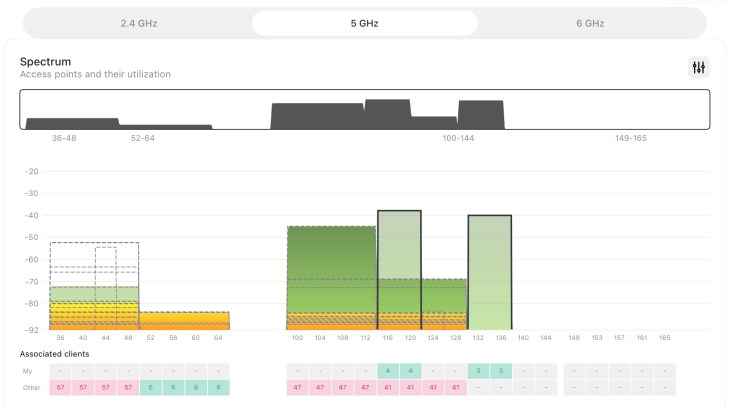
If I’m surveying or troubleshooting somewhere like a manufacturing facility, warehouse or another RF-noisy environment, I absolutely want spectrum analysis available.
But do I need a spectrum analyser every single time I investigate a Wi-Fi problem?
No.
For a comprehensive survey in a difficult RF environment, Nomad plus a spectrum analyser makes sense. For walking into an office, validating coverage or troubleshooting a user’s experience, Clip is considerably easier to throw into my bag.
Different tools for different jobs.
Now turn it into an Orb
This might actually be my favourite idea for Clip.
Intermittent problems have an annoying habit of disappearing when the Wi-Fi engineer arrives.
So what if I could leave my test device behind?
Clip’s ability to operate as an Orb sensor means I can investigate the immediate problem and then leave the same hardware at the problem location to continuously measure network experience.
When I’m finished, it goes back to being a survey/troubleshooting device.
I really like that.
It also complements Marvis Minis nicely. Minis provides always-on synthetic testing built into the Mist architecture without deploying dedicated sensors; Orb gives me a physical measurement point in a specific location.
So, where does it fit?
After spending some time with Clip, I think I’ve answered my original question.
It isn’t a replacement for Mist, Marvis Minis, Hamina Live, or a Nomad, or a Ekahau Sidekick.
That’s not really the point.
Clip fills the space between them.
It’s something I can keep in my backpack and pull out for an independent view of the RF environment. I can survey with it, validate what the infrastructure is telling me, troubleshoot the experience from where a user is actually standing, or hand it to another engineer.
And if the problem refuses to happen while I’m there, I can leave it behind as an Orb.
That’s a lot of functionality from something this small.
Perhaps the best measure of a portable troubleshooting tool is whether you actually have it with you when you need it.
Mine will probably just live in my backpack (aside from when I’m on vacation).
And given my backpack already contains far too many cables, adapters and other assorted networking junk, anything that earns a permanent place in there is doing pretty well.

